
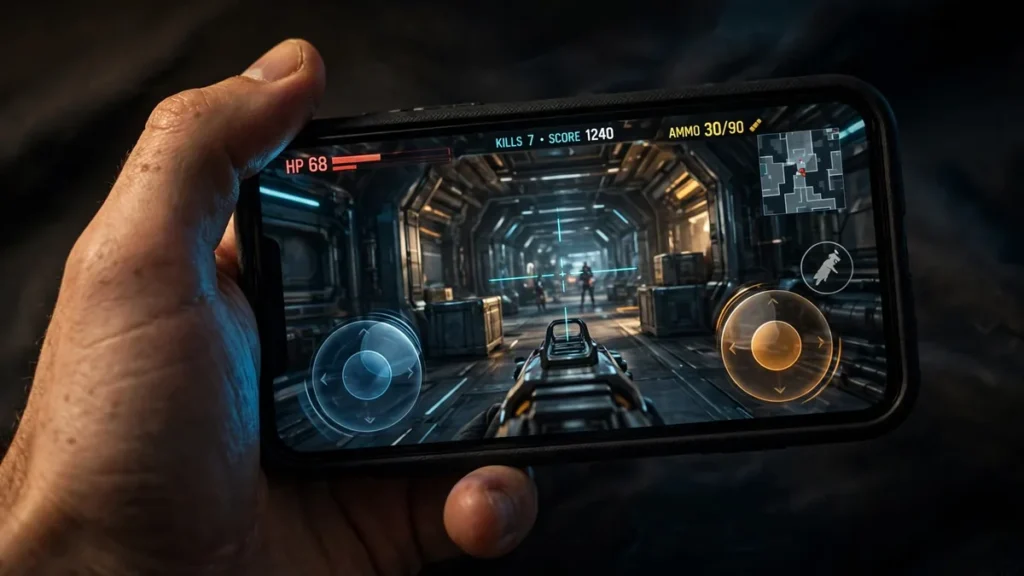
Left-Handed BGMI Layout Guide: Mirrored Controls That Actually Work (2026)
TL;DR: Default BGMI layouts assume you’re right-handed — fire button on the right, movement on the left. Left-handed players do better mirrored: primary fire under the left index finger, movement on the left thumb, and scope/peek repositioned for easy reach. Below: complete mirrored 3-finger and 4-finger claw layouts, gyro notes for lefties, and a two-week drill plan.
Table of Contents
- Why Default Layouts Feel Wrong for Lefties
- The Mirroring Principle
- Mirrored 3-Finger Claw (Left-Hand Dominant)
- Mirrored 4-Finger Claw (Left-Hand Dominant)
- Scope, Peek, and Utility Placement
- Gyro Considerations for Left-Handed Players
- Rebuilding Muscle Memory: Practice Drills
- Default vs Mirrored: Comparison Table
- Switching Back Temporarily (Shared Devices)
- FAQs
Why Default Layouts Feel Wrong for Lefties
Every default mobile shooter layout assumes your right thumb (or right index) is the precise one. Fire sits on the right; scope, peek, and jump cluster around it. Your left thumb gets the movement joystick — important, but it’s the “dumb” job of pushing a direction.
For a left-handed player, that’s backwards: your most coordinated finger does movement while your clumsier right hand handles firing and fine aim adjustments — so sprays lag on corrections, peeks feel late, and you lose close-range duels you should win.
It’s not a skill issue — it’s ergonomics. Roughly 10% of players are left-handed, yet almost no layout guide addresses it. Let’s fix that.
The Mirroring Principle for Left-Handed BGMI Controls
Mirror the layout horizontally. Whatever the right hand does by default, the left hand takes over:
- Primary fire moves to the left, under your left index finger (claw) or left thumb.
- Movement stays on the left thumb but shifts slightly inward/down so it doesn’t fight the fire button for space.
- Aim/look shifts right. Your right thumb becomes the “camera” thumb — dragging to look needs less trigger timing than firing.
- Scope, peek, crouch, prone get repositioned where your dominant fingers reach them without lifting off fire or movement.
The point: put the highest-precision action (firing with recoil control) under your highest-precision finger.
Mirrored 3-Finger Claw (Left-Hand Dominant)
Two thumbs + one index finger — the left-handed version:
Left hand (dominant):
– Left thumb: movement joystick — bottom-left, nudged slightly inward/down versus default so it clears the fire button.
– Left index finger: primary fire — upper-left, the largest button on screen (20–25% size). Your index should land on it without stretching.
Right hand:
– Right thumb: everything else — aim/look drag across the right side, plus jump, crouch, reload, and scope toggle arranged in a sweepable arc.
Placement notes: fire upper-left and big; joystick bottom-left but shifted to avoid overlap; jump and crouch lower-right at medium size; scope button on the right side just above jump, reachable mid-drag.
Who this suits: lefties moving up from the default 2-thumb layout. The left index on fire is the single biggest upgrade; everything else stays familiar.
Mirrored 4-Finger Claw (Left-Hand Dominant)
Adding a second index finger is where lefties can genuinely out-shoot right-handed players — both trigger fingers now do skilled work.
Left hand (dominant):
– Left thumb: movement joystick (bottom-left, shifted inward).
– Left index finger: primary fire (upper-left, large — 22–28%).
Right hand:
– Right thumb: aim/look drag + jump, crouch, prone along the bottom-right.
– Right index finger: scope/ADS (upper-right, medium-large). This is the key change — scoping with the right index while firing with the left gives true simultaneous scope + fire.
Placement notes: give the scope button a generous size since your right index is less dominant; put peek buttons on the right near scope so the right index rolls from scope to peek in one motion; keep reload, heal, and grenade in a small bottom-right cluster for the right thumb, away from jump.
The learning curve is real. Your right index has probably never gamed before. Expect it to feel useless for 3–4 days — that’s normal; the tap-to-scope motion is simple and it learns fast.
Scope, Peek, and Utility Placement
- Scope opposite fire. Fire left → scope right (right index). This separation is what allows simultaneous scope + fire without one finger doing two jobs.
- Peek near the scope finger. In 4-finger, the right index owns scope + peek; in 3-finger, peek goes to the right thumb near jump.
- Crouch and prone stay thumb-side. They’re pre-fight or mid-spray actions — they belong under a thumb, not a firing index finger.
- Keep the centre clear. The middle of the screen is your sightline. Shrink buttons rather than letting them creep inward and block vision.
Gyro Considerations for Left-Handed Players
Gyro (motion aiming) changes the math, because fine aim comes from tilting the phone rather than thumbs alone:
- Gyro shrinks the handedness gap. If your right thumb handles camera movement but gyro handles fine adjustments, the weaker aim thumb matters far less. Many lefties find gyro + mirrored layout is the best of both worlds.
- Calibrate in the training ground, not in a live match. Adjust until a full wrist tilt gives roughly a 90-degree turn.
- ADS gyro sensitivity matters most. If your M416 climbs uncontrollably, lower ADS gyro a notch and retest — per scope (red dot, 3x, 6x each get their own feel).
- Don’t mirror the gyro itself. Gyro is direction-based, not hand-based — tilt left always turns left regardless of handedness. Only the buttons get mirrored.
Never tried gyro? Give it a week in the training ground before judging. Most players who survive past day five never go back.
Rebuilding Muscle Memory: Practice Drills
Switching layouts makes you worse before you’re better. Two-week plan:
Days 1–3 — training ground only. 15 min: tap fire (left index) on targets at varying ranges — build the “left finger = shoot” connection. 10 min: scope → fire → unscope, repeated slowly and cleanly. 5 min: strafe while keeping crosshair on a target.
Days 4–7 — TDM only. One rule: ignore K/D, focus on hitting scope + fire together. Do 3 “peek drills” per match: peek, short burst, unpeek.
Days 8–14 — classic matches. Drop hot (Pochinki, Georgopol) on purpose — you need chaos to pressure-test the layout. After each session, note your most mis-hit button and nudge its position or size that night. Layouts are never finished; they’re tuned.
The two-week test: by day 14, mis-taps should be rare and reaction duels should feel natural. Most players report the “click” around day 10 — the left index suddenly fires without thinking.
Default vs Mirrored: Comparison Table
| Element | Default (right-hand biased) | Mirrored (left-hand dominant) |
|---|---|---|
| Primary fire | Right side, right thumb/index | Left side, left index (dominant) |
| Movement | Left thumb joystick | Left thumb joystick (shifted inward) |
| Scope / ADS | Right side near fire | Right side, right index (4-finger) |
| Camera / look | Right thumb drag | Right thumb drag (same side) |
| Peek buttons | Right cluster | Right cluster near scope finger |
| Jump / crouch | Right thumb | Right thumb (unchanged) |
| Learning curve | Zero (it’s the default) | ~10–14 days to rebuild muscle memory |
| Best for | Right-handed players | Left-handed players; anyone with a more precise left hand |
Switching Back Temporarily (Shared Devices)
Sharing a device with a right-handed sibling or friend? Two fixes:
- Save both layouts. BGMI lets you store multiple custom control layouts — keep slot 1 as your mirrored lefty setup and slot 2 as the default. Switching takes a few taps in settings.
- Screenshot your layout before handing the phone over. Rebuilding from a screenshot takes two minutes; from memory, twenty — and it never quite matches.
Name the slots clearly (“LEFTY-4F” / “DEFAULT”) so there’s no handover confusion.
Conclusion
Left-handed BGMI players don’t have to suffer with uncomfortable default layouts anymore. Apply the mirroring principle to build controls that fit your dominant hand, run the practice drills, and your aim will feel natural within days.
FAQs
Q: I’ve played default for years as a lefty. Worth switching?
A: If you’re casual and happy, maybe not. But if you’ve plateaued — losing close duels, aim feeling “almost there” — ergonomics are likely the ceiling. The two-week rebuild pays off for serious players.
Q: Should I mirror if I’m ambidextrous?
A: Try the mirrored 4-finger claw. Ambidextrous players often find left-index-fire clicks fast. Keep whichever feels natural after a week.
Q: Does mirroring help on tablets too?
A: Yes — arguably more. Bigger screens mean longer finger travel, so putting fire under your dominant hand saves more time per action.
Q: My right index keeps missing the scope button. Fix?
A: Make scope bigger (not smaller) and shift it toward the screen edge where your finger naturally rests. Also loosen your grip — tension kills index accuracy.
Q: Will custom layouts get me banned?
A: No. Custom control layouts are a built-in official feature. Bans come from third-party tools and file modifications, not rearranging buttons in settings.
Disclaimer: BuzzGamers is an independent, fan-run website and is not affiliated with or endorsed by Krafton, Inc. or Battlegrounds Mobile India. All game names, marks and images belong to their respective owners.