
5-Finger Claw Layout Guide for BGMI: Full Setup (2026)
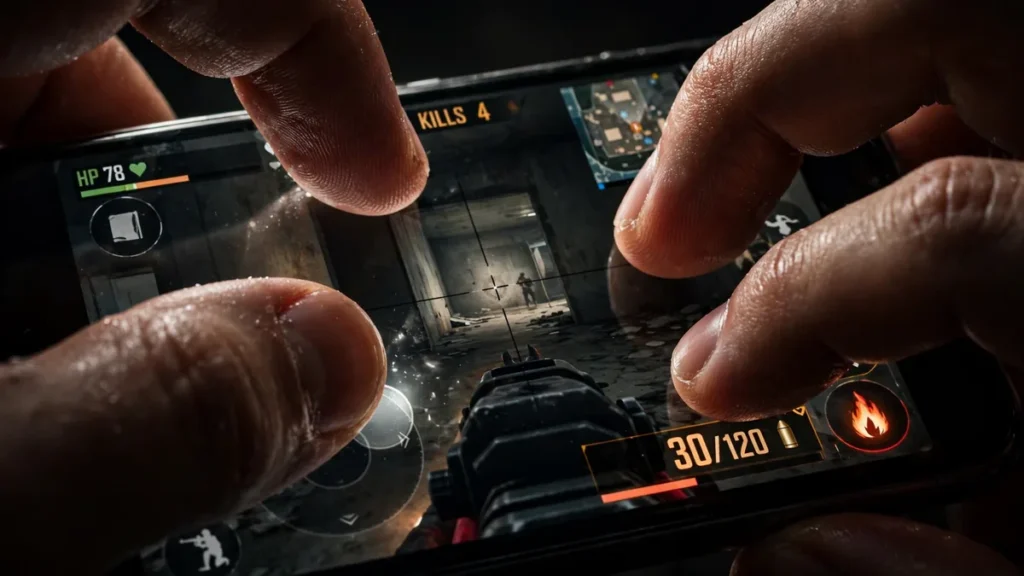
Quick Answer: The 5-finger claw — both thumbs plus three index/middle fingers — lets you move, aim, fire, and peek all at once. This guide maps every finger to its job, gives a complete button placement blueprint, community-tested sensitivity starting points, an honest 4-vs-5-vs-6-finger comparison, a day-by-day 2-week muscle-memory plan, and the mistakes that make new claw players quit.
- The 5-Finger Claw Explained: Which Finger Does What
- Full Button Placement Blueprint
- Sensitivity Starting Points for Claw Players
- 5-Finger vs 4-Finger vs 6-Finger: Honest Comparison
- 2-Week Muscle-Memory Building Plan
- Common Mistakes (And How to Fix Them)
- FAQ
The 5-Finger Claw Explained: Which Finger Does What
Hold your phone with both hands, thumbs on screen as usual. Now bring your index fingers (and one middle finger) over the top edge — that’s the claw. Each finger gets one job:
- Left thumb — movement. Joystick, bottom-left. Nothing else. Ever.
- Left index — fire. Top-left fire button. Your trigger finger.
- Left middle — jump / crouch. Top-edge buttons near the left index — movement tech without lifting your fire finger. This is what makes 5-finger special.
- Right thumb — aim. The big empty aim area. Drags, tracks, flicks.
- Right index — scope / peek. ADS and peek buttons along the top-right edge.
The magic: in a close fight at Pochinki, you can strafe left (left thumb), fire continuously (left index), jump (left middle), track the enemy (right thumb), and lean-peek a corner (right index) — all simultaneously. A 2-finger player physically cannot do all five at once. That’s the whole point of the claw.
Full Button Placement Blueprint for 5-Finger Claw in BGMI
Set this up once, carefully — a claw layout lives or dies on buttons matching your natural finger lengths.
Top-left zone (left index + left middle)
- Fire button: Top-left corner, 60–70% size. Your left index should land on it with zero stretch when gripping the phone naturally. Biggest button on the screen.
- Jump button: Just right of fire along the top edge, 50–60%. Left middle finger taps this — jump-shots need a fast tap, not a reach.
- Crouch button: Below jump, slightly toward center-left, 50–60%. Also left-middle duty — crouch-spam during sprays is a claw player’s bread and butter.
Bottom-left zone (left thumb)
- Joystick: Bottom-left corner, 25–30%, fixed position (not floating). Nothing else on the left side.
Top-right zone (right index)
- Scope/ADS button: Top-right, 55–65%. Right index taps it while the right thumb is already aiming.
- Peek left / peek right: Below the scope button, ~45–50% each. Scoping and peeking without moving your aim thumb is a massive advantage in compound fights.
- Reload: Small, near scope, ~40%. Right index taps it after a knock.
Right-center zone (right thumb)
- Aim area: The big empty space in the center-right. Guard this jealously — no buttons here.
- Prone: Bottom-right corner, small (~40%), far from crouch. Emergency button only.
- Hip-fire button (optional): A small extra fire button near the right thumb for panic close-range moments. Add only after week 2 if you want it.
Transparency: 30–40% on big buttons so enemies stay visible. Layout tip: screenshot your layout, play 5 matches, then compare — you’ll spot the buttons you kept missing.
Sensitivity Starting Points for Claw Players
Claw players typically run slightly higher sensitivities than thumb players because the aim thumb is free — it never lifts off to tap fire. But start moderate; speed without control is just fast missing.
Camera sensitivity (free look):
| Setting | Claw start value |
|---|---|
| TPP No Scope | 100–110 |
| FPP No Scope | 95–105 |
| Red Dot / Holo | 55–65 |
| 2x Scope | 50–58 |
| 3x Scope | 40–50 |
| 4x Scope | 35–45 |
| 6x Scope | 25–32 |
| 8x Scope | 18–25 |
ADS sensitivity: each scope ~5–10 below its camera value. Fire sensitivity: red dot 65–75, 2x 55–65 — tune until your M416 spray stays in a tight vertical line with light downward thumb pressure.
Gyro note: many claw players pair the claw with scope-on gyro (150–250). The claw handles movement and firing; gyro handles fine spray correction. Learn the claw first for two weeks, then add gyro — stacking two new skills on day one is how people quit.
As always: community-tested starting points. Test in the Training Ground, change one value at a time, give each change 10 minutes before judging it.
5-Finger vs 4-Finger vs 6-Finger: Honest Comparison
- 4-finger claw (thumbs + 2 index): simpler to learn, less crowding on small phones. You lose the jump/crouch finger, so your fire finger leaves the trigger to jump. Best for smaller phones, or anyone who found 5-finger cramped.
- 5-finger claw: the sweet spot. A dedicated jump/crouch finger means you never stop firing to move. Two-week learning curve, but this is where most competitive mobile players land. Best for: the majority of serious players.
- 6-finger claw (adds right middle finger, usually for prone or second fire): maximum simultaneity, but intense crowding and a month-long learning curve, for marginal gains over 5-finger. Best for: tablet players or grinders chasing every edge.
Bottom line: pick 5-finger — best effort-to-reward ratio in the game. Move to 6 only if you run out of things to improve at 5.
2-Week Muscle-Memory Building Plan for BGMI Claw Players
Your fingers will feel stupid for the first 3–4 days. That’s normal — you’re rewiring years of thumb habits. Don’t skip ahead.
Week 1: Finger discipline
- Day 1–2: Training Ground only. No matches. Practice each finger’s job in isolation: strafe, tap fire at dummies, jump/crouch, aim, scope/peek. 15 minutes, twice a day.
- Day 3–4: Combine two fingers at a time. Strafe + fire. Aim + scope. Jump + fire (jump-shot dummies with the M416).
- Day 5–7: Unranked classic or TDM. One goal: use the claw the whole match, even if you play badly. Losing while learning is the price — pay it now, not in ranked.
Week 2: Speed and integration
- Day 8–10: TDM, one skill per day — Day 8: jump-shots only. Day 9: peek every angle. Day 10: crouch-spam every spray.
- Day 11–12: Full unranked classic matches. Chain the 5-action combo: strafe + fire + aim + jump/crouch + peek in real fights.
- Day 13–14: Back to ranked. Expect to play a tier below your usual for a few days — then climb past it. Reset your hand position between fights; old thumb habits resurface under pressure.
Daily drill (both weeks, 10 min): spray one dummy, drag to a second without releasing fire — aim for 20+ bullets on the second target by week 2.
Common Mistakes (And How to Fix Them)
- Finger crowding: fingers bumping on a small phone. Fix: shrink buttons and spread the top-edge ones wider. Under 6.3 inches, seriously consider 4-finger instead — no shame in it.
- Accidental prone: you meant crouch, went prone in the open. Fix: move prone to the far bottom-right corner, shrink it, raise transparency.
- Fire finger freezing: your left index locks up under pressure. It’s tension, not skill — relax your hands between fights, shake them out during rotations.
- Right thumb leaving the aim area: you lift the aim thumb to tap a button and lose the target. Fix: audit the layout — every button the right thumb “needs” belongs on a finger that isn’t aiming. That’s the entire philosophy of the claw.
- Changing the layout daily: the #1 progress killer. Lock the layout after day 3 and don’t touch it for two weeks. Tweak sensitivities if you must — buttons stay put.
Conclusion
The 5-finger claw gives you the most control in BGMI, but only after two weeks of deliberate muscle-memory training. Follow the button blueprint and sensitivity starting points above, avoid the common mistakes, and you will wonder how you ever played with thumbs alone.
FAQ
How long does it really take to learn 5-finger claw?
Two weeks of daily play for basic comfort, a month to feel natural, two months before it’s automatic under pressure. Anyone promising “3 days” is selling something.
My phone is small (6.1 inch). Can I still do 5-finger?
It’s tight but possible if you keep buttons compact. Honestly though, on smaller phones 4-finger is the smarter pick — cramped fingers cause more mistakes than the 5th finger fixes.
Should I learn claw and gyro at the same time?
No. Learn the claw first (2 weeks), then add scope-on gyro. Learning both simultaneously doubles the confusion and most players quit. Sequential learning sticks.
My left middle finger keeps missing the jump button. Help?
Move jump closer to the fire button — the middle finger naturally sits just right of the index. Make jump slightly bigger than crouch for the first two weeks, then normalize.
Is 5-finger claw allowed in tournaments?
Yes — it’s just a control layout using your own fingers. Tournaments ban emulators, mouse/keyboard adapters, and macros. Finger claw on phone or tablet is 100% legit.
I keep going back to 2-finger in intense fights. What do I do?
Play unranked until the claw survives pressure. The relapse happens because your brain trusts the old habit more. Around day 10 most players notice the claw “taking over” automatically mid-fight.
Disclaimer: BuzzGamers is an independent, fan-run website and is not affiliated with or endorsed by Krafton, Inc. or Battlegrounds Mobile India. All game names, marks and images belong to their respective owners.