
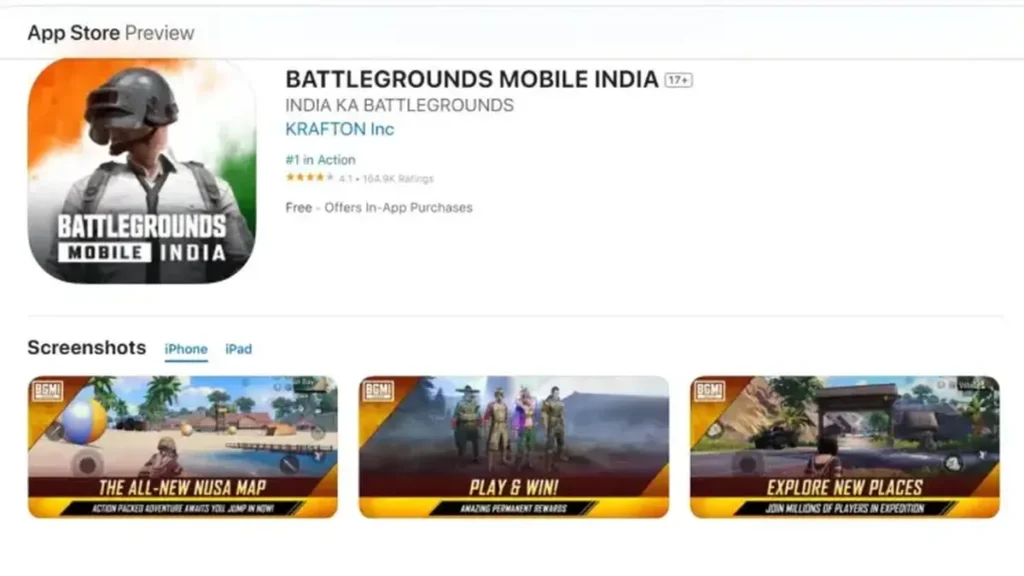
BGMI APK vs Play Store Update: Which Is Faster and Safer?
What changed in 30 seconds: The Play Store is the safest way to update BGMI but suffers staged-rollout delays on update day. The official APK from Krafton’s site gets you the update immediately, but third-party APK mirrors are a malware and ban risk — avoid them completely. Most players should stick to the Play Store; impatient players can use the official APK carefully.
The two official ways to update BGMI
When a new BGMI version drops, you have exactly two legitimate options:
- Google Play Store — the update appears in your Play Store and installs like any app update.
- Official APK — downloaded from Krafton’s official BGMI website and installed manually.
That’s it. Any other source — random APK sites, Telegram forwards, YouTube description links — is not official, no matter how convincing it looks. More on why that matters below.
BGMI Update Speed Comparison: Play Store vs APK Download
| Factor | Play Store | Official APK |
|---|---|---|
| Availability on update day | Staged rollout — can lag hours or days | Available immediately once Krafton publishes it |
| Download speed | Uses Google’s CDN, usually fast | Uses Krafton’s servers, usually fast |
| Install process | Automatic, handles everything | Manual — you install it yourself |
| Delta updates | Yes — downloads only changed parts | No — full APK every time (larger download) |
| Total time on update day | Often slower due to rollout wait | Often faster if you grab it early |
The Play Store’s big advantage is delta (incremental) updates: it downloads only what changed, so the download is smaller. The APK route always downloads the full package, which is bigger — but you skip the rollout queue entirely, so you can end up playing sooner.
BGMI Update Safety Comparison: Which Method Is Safer
| Factor | Play Store | Official APK | Third-party APK mirrors |
|---|---|---|---|
| Malware risk | Practically zero | Practically zero (official source) | High — common malware vector |
| File integrity | Verified by Google | Verified if from Krafton’s site | Unknown — could be modified |
| Ban risk | None | None | Real — modified APKs can trigger anti-cheat |
| Auto-updates afterwards | Yes | No — you must update manually each time | No, and dangerous |
Let’s be blunt about third-party mirrors: APK download sites are one of the most common ways phones get infected with malware in India. Worse for a gamer, a tampered APK can get your BGMI account flagged or banned by the anti-cheat system. The few hours you save are never worth risking an account you’ve spent months (or money) building.
Golden rule: APK only from Krafton’s official BGMI website. If a site claims to have the “latest BGMI APK” and it’s not Krafton’s domain, close the tab.
BGMI Staged Rollout Delays Explained for Android and iOS
Google doesn’t push app updates to everyone at once. New versions roll out in waves — a small percentage of users first, then wider and wider over hours or days. This is deliberate: it lets developers catch critical bugs before they hit a hundred million phones.
So when your squadmate already has the new BGMI version and your Play Store still shows “Open” instead of “Update,” nothing is wrong. You’re just in a later wave. This is the single biggest reason players go hunting for APKs on update day.
How to update via Play Store (step by step)
- Open the Google Play Store.
- Tap your profile icon → Manage apps & device.
- Under Updates available, find BGMI. (Or just search “BGMI” and check the listing.)
- Tap Update.
- Wait for the download and automatic install. Keep the phone awake and on a stable network.
- Open BGMI — it will download in-game resource packs. Grab the essentials first, HD packs later.
If the update isn’t showing: refresh the Play Store listing (pull down), clear the Play Store cache (Settings → Apps → Play Store → Storage → Clear cache), and check again in a few hours. Don’t panic — it’s the rollout.
How to update via official APK (step by step)
- On your phone’s browser, go to Krafton’s official BGMI website (the one linked from BGMI’s official social pages — double-check the domain).
- Find the official APK download section for the new version.
- Download the APK file. It’s large — use Wi-Fi.
- When prompted, allow “Install unknown apps” for your browser (this is normal for manual installs; you can turn it off afterwards).
- Open the downloaded APK and tap Install. It will update your existing BGMI installation — your account data is safe as long as your account is linked.
- Open BGMI and download the in-game resource packs.
Important: after installing via APK, the Play Store may still show BGMI as needing an update, or it may take over updates from there. That’s fine — let the Play Store handle future updates normally.
APK or Play Store: Which BGMI Update Method Should You Use
- Stick to the Play Store if: you’re a casual or regular player, you don’t mind waiting a few hours, you want automatic updates, or you’re not confident telling official sites from fake ones. This is most players.
- Use the official APK if: you’re in a later rollout wave and can’t wait, you’re a competitive player who needs the new version for scrims on day one, or the Play Store update keeps failing and you want a clean full install.
- Never use third-party APK mirrors if: you value your account and your phone. There is no scenario where a random APK site is the right call.
One more scenario: if the Play Store update repeatedly fails even after clearing cache and freeing space, installing the official APK over your existing installation often fixes it — it’s effectively a clean reinstall of the app files without wiping your linked account.
Conclusion
Both the Play Store and the official APK will get you the latest BGMI update safely — the Play Store wins on convenience and automatic safety checks, while the APK can be faster when the rollout is slow in your region. Pick the method that fits your situation, stick to official sources only, and you’ll be back in the lobby in minutes.
FAQ
Q: Is the official BGMI APK safe?
A: Yes — if it’s genuinely from Krafton’s official website. The danger is entirely from third-party mirrors and forwarded files, which can be modified. Always verify you’re on Krafton’s real domain.
Q: Will I get banned for installing the APK version?
A: No. Installing the official APK is a legitimate method Krafton itself provides. Bans come from modified/cheat APKs from unofficial sources, not from the official file.
Q: Why is my friend’s Play Store showing the update but mine isn’t?
A: Staged rollout. Google releases updates in waves, so different accounts and devices get it at different times — sometimes a day or more apart. It’s normal.
Q: Does the APK download use more data than the Play Store update?
A: Usually yes. The Play Store downloads only the changed portions (delta update); the APK is the full package every time. On a limited data plan, the Play Store is the economical choice.
Q: After installing via APK, will I still get future updates from the Play Store?
A: Generally yes — the Play Store recognizes the installed app and will offer future updates normally, as long as the APK was the official signed version. If anything looks odd, you can always switch back to Play Store updates.
Disclaimer: BuzzGamers is an independent, fan-run website and is not affiliated with or endorsed by Krafton, Inc. or Battlegrounds Mobile India. All game names, marks and images belong to their respective owners.