
BGMI Audio Settings for Footsteps: In-Game + Phone EQ Guide (2026)
TL;DR: Hearing footsteps clearly comes down to three things: in-game sound quality set to Ultra with music/SFX sliders balanced, a small EQ boost in the 2–4 kHz range where footstep sounds live, and wired (or low-latency gaming-mode) earphones. Most players who “can’t hear footsteps” just have music drowning the game or are using high-latency Bluetooth buds.
Table of Contents
- Why Footstep Audio Wins Fights
- In-Game Audio Settings: The Exact Setup
- Complete Settings Table
- Phone EQ: Boosting the Footstep Frequencies
- Wired vs Bluetooth: The Latency Problem
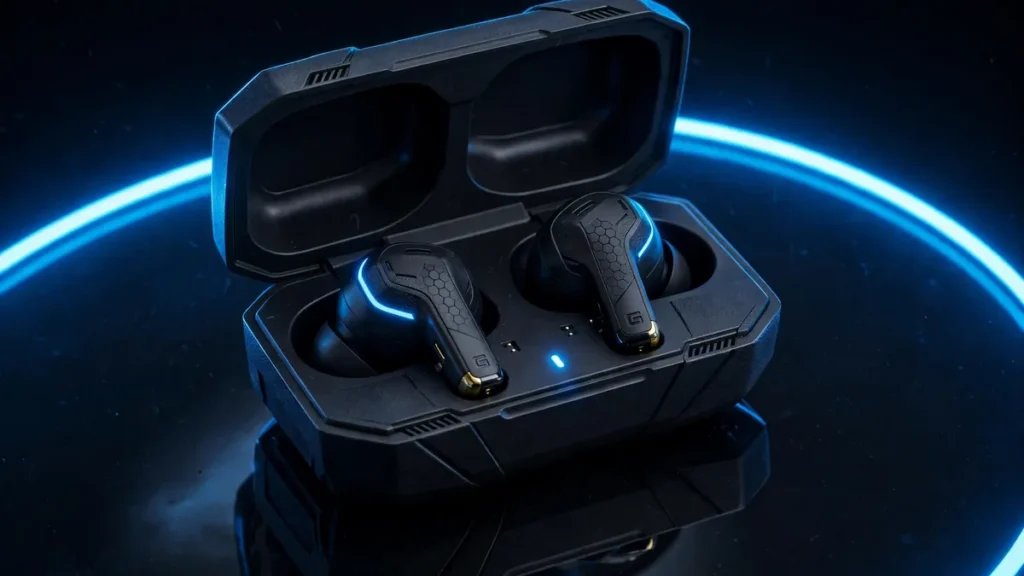
- Budget Earbuds: What to Actually Look For
- Common Mistakes That Kill Your Audio
- Training Ground Drill: Learn Direction and Distance
- FAQs
Why Footstep Audio Wins Fights
Let me tell you about a match I played in Erangel last month. Final zone, 4 players left, I’m prone behind a rock with a level 3 helmet and an AWM. I heard it — a single crunch of gravel to my left, maybe 20 metres out. I didn’t move. Ten seconds later the enemy peeked exactly where the sound said he would be, and one AWM shot ended the match. That chicken dinner was won by my ears, not my aim.
Here’s the thing most players don’t realise: at higher ranks, everyone can aim. What separates a Diamond player from a Conqueror isn’t spray control — it’s information. Footsteps tell you where the enemy is, how many there are, whether they’re rushing or rotating, and sometimes even what floor of a building they’re on. A player with great audio plays with wallhacks that the game itself provides. A player with bad audio plays blind.
And the frustrating part? Most “I can’t hear footsteps” problems are settings problems, not ear problems. Let’s fix yours.
In-Game Audio Settings: The Exact Setup
Open BGMI → Settings → Audio. Here’s what matters and what doesn’t.
Sound Quality: Ultra. This is the single most important setting. Lower quality settings compress the audio, and the first thing compression kills is the subtle high-frequency detail of distant footsteps. If your phone can handle it, Ultra is non-negotiable. Yes, it uses slightly more battery. Worth it.
Music volume: Low (10–20%) or off. Lobby music and background music sit in the same frequency range as footsteps and actively mask them. In a real match you don’t need background music at all. Turn it down — your ears will thank you in the final zone.
SFX volume: High (90–100%). This is your footsteps, gunshots, vehicle sounds, door opens — all the information. Keep it high.
UI sounds: Low. Button clicks and menu sounds are noise. Turn them down so they don’t distract you.
Voice chat: as needed, but manage it. Teammate callouts are important, but a teammate blasting music through their mic or breathing into it destroys your ability to hear the game. Don’t be shy about muting a noisy teammate — it’s not rude, it’s competitive.
HRTF-style directionality tip: BGMI’s audio engine already provides directional sound — footsteps genuinely come from the correct side in stereo. The key is to trust it. When you hear a step on your right, the enemy is on your right. New players second-guess this constantly (“maybe it’s above me?”). Train yourself to react to the direction you hear, not to hesitate. The drill at the end of this guide will build that trust.
Complete BGMI Audio Settings Table for Footsteps
| Setting | Recommended Value | Why |
|---|---|---|
| Sound Quality | Ultra | Preserves footstep detail; lower settings compress it away |
| Music Volume | 10–20% or Off | Background music masks footsteps in the same frequency range |
| SFX Volume | 90–100% | Footsteps, gunshots, vehicles — all your information lives here |
| UI Sounds | Low (20–30%) | Menu clicks are distractions |
| Voice Chat Volume | 70–80% | Hear callouts without them drowning game audio |
| Speaker/Mic | Earphones, never phone speaker | Speaker audio has zero directionality |
| In-game HRTF/directional audio | On (if available in your version) | Improves left-right and front-back separation |
Phone EQ: Boosting the Footstep Frequencies
Footsteps in BGMI live mostly in the 2–4 kHz frequency range — the sharp crunch/click of boots on different surfaces. Gunshots are lower and louder; voice chat sits around 1–3 kHz. If you boost 2–4 kHz slightly on your phone’s equalizer, footsteps pop out of the mix without everything else getting painfully loud.
On Samsung phones: Settings → Sounds and vibration → Sound quality and effects → Equalizer. Choose “Custom” and raise the 2 kHz and 4 kHz bands by 2–3 notches. Don’t max them — over-boosting makes everything harsh and fatiguing.
On Xiaomi/Redmi/Poco: Settings → Sound & vibration → Sound effects (or search “equalizer”). Same idea: gentle boost at 2–4 kHz. Some MIUI versions have a “Mi Sound Enhancer” — pick your earphone type for a flatter baseline first, then EQ.
On OnePlus: Settings → Sound & vibration → Audio tuner / equalizer. Boost 2–4 kHz modestly.
On iPhones: Settings → Accessibility → Audio/Visual → Headphone Accommodations can help, or use the Music app’s EQ (Settings → Music → EQ → “Late Night” compresses dynamics, which actually helps footsteps). iOS is more limited, but Late Night EQ is a genuine trick competitive players use.
General rule: boost, don’t cut everything else. A +3 dB bump at 2–4 kHz is plenty. If your EQ has presets, “Vocal booster” or “Treble booster” presets are usually close to what you want. Avoid “Bass booster” — heavy bass drowns footsteps completely, which is exactly why those bass-heavy earphones feel “powerful” but make you deaf in-game.
One warning: every phone’s EQ interface is a bit different, and software updates move things around. If you can’t find your EQ, search your phone’s settings for “equalizer” — it’s there on most Android phones from the last few years.
Wired vs Bluetooth: The Latency Problem
This is the hill I’ll die on: if you’re serious about ranked, use wired earphones.
Bluetooth audio has latency — a delay between the game producing a sound and you hearing it. Standard Bluetooth (SBC codec) adds roughly 200–250ms of delay. That means you hear the footstep a quarter-second after it happened. In a close-range fight, a quarter-second is the difference between pre-firing the doorway and dying to it.
Gaming-mode Bluetooth (many TWS buds have it) cuts this to 50–80ms, which is playable but still worse than wired (~5–10ms, basically instant). aptX Low Latency and LC3 codecs help if both your phone and buds support them — but most budget combos don’t.
My honest ranking for BGMI audio:
1. Wired earphones — cheapest, lowest latency, most reliable. A ₹300 wired pair beats ₹3,000 Bluetooth buds for competitive play.
2. Bluetooth with gaming/low-latency mode ON — acceptable if you must go wireless. Always enable gaming mode before the match.
3. Regular Bluetooth without gaming mode — you’re playing with a built-in handicap. Fine for casual TDM, painful for ranked.
Also: keep your earphones charged. Low-battery Bluetooth buds often drop into worse codecs with even higher latency, and you won’t notice until you’ve already lost two fights.
Budget Earbuds: What to Actually Look For
I’m not going to give you a fake “Top 5 Best BGMI Earphones 2026” list — those change monthly and half of them are sponsored anyway. Instead, here’s what actually matters so you can judge any pair yourself:
- Low-latency/gaming mode: Non-negotiable for wireless. Look for an advertised latency under 100ms, and a dedicated gaming mode toggle in the app or via tap controls.
- Fit and seal: Footsteps are quiet sounds. If your buds don’t seal in your ear, outside noise leaks in and quiet sounds vanish. Try different tip sizes — the default medium tips are wrong for half of all ears. Foam tips seal even better if you can find them.
- Balanced sound, not bass-heavy: Those “extra bass” buds feel exciting in the lobby and terrible in a match. You want clear mids and highs where footsteps live.
- A working mic: Your callouts matter as much as your hearing. Test the mic in a real match, not just in a quiet room — wind and background noise rejection varies wildly.
- Comfort for long sessions: Ranked pushes mean 3–4 hour sessions. If the buds hurt after an hour, you’ll play worse regardless of sound quality.
And honestly? A basic wired earphone that fits well will outperform most budget wireless options for BGMI. Spend your money on fit first, features second.
Common Mistakes That Kill Your Audio
Playing music over the game. I see this constantly — players running Spotify or YouTube music on top of BGMI. Even at low volume, music occupies the exact frequencies your brain needs for footsteps. If you must have music, keep it to the lobby. In a match, it’s self-sabotage.
Mono audio. Check your phone’s accessibility settings and make sure mono audio is OFF. Mono mixes left and right channels together, which completely destroys directionality. With mono on, a footstep on your left and a footstep on your right sound identical — you’ve thrown away half your information.
Phone speaker. Playing on speaker means no stereo separation and maximum environmental noise. Even the cheapest earphones are a massive upgrade. This one isn’t optional.
Max volume everything. Louder isn’t clearer. If your SFX is maxed and your ears are fatiguing after 20 minutes, you’ll actually hear worse as the session goes on. Find a comfortable level where footsteps are clear but gunshots don’t hurt.
Ignoring vertical audio. Footsteps above and below you sound slightly different — muffled and “thinner” through floors/ceilings. When pushing a building, pause at the stairs and listen. You can often tell which floor the enemy is on before you commit.
Training Ground Drill: Learn Direction and Distance
Knowing your settings are right is only half the battle — you need to train your brain to interpret what it hears. Do this 10-minute drill twice a week:
- Go to the training ground with a friend (or use the moving target area solo).
- Have your friend run circles around you at different distances — 10m, 25m, 50m — while you stand still with your eyes on the ground (or close them, if you trust your friend not to troll you).
- Call out the direction: “left,” “right,” “behind,” “front-left.” Check after each call.
- Next, estimate distance: “close” (under 15m), “mid” (15–40m), “far” (40m+). Footstep volume and clarity are your cues — close steps are sharp and loud, distant ones are faint clicks.
- Finally, have your friend switch surfaces — run on grass, then concrete, then inside the building. Notice how each surface changes the sound. In real matches, surface changes tell you when an enemy enters a compound.
After two weeks of this, you’ll notice yourself reacting to footsteps in real matches without conscious thought. That’s the goal — audio information should trigger reactions, not analysis.
Conclusion
Hearing footsteps clearly in BGMI is a settings problem before it is a hardware problem. Dial in the in-game audio setup and phone EQ from this guide first, then upgrade your earbuds — you will be surprised how much information you were missing.
FAQs
Q1. What’s the single best audio setting for hearing footsteps?
Sound Quality on Ultra. Everything else is fine-tuning; Ultra is the foundation. Without it, you’re trying to hear detail that the game has already compressed away.
Q2. Does the 2–4 kHz EQ boost really make a difference?
Yes, a noticeable one — it’s the frequency band where footstep transients are strongest. It’s not magic (it won’t let you hear across the map), but it makes nearby footsteps clearly pop out of gunfire and vehicle noise.
Q3. Are expensive gaming earphones worth it for BGMI?
Up to a point. Going from phone speaker to any decent earphones is a huge jump. Going from decent wired earphones to expensive ones is a small jump. Fit and latency matter far more than price — a well-fitting ₹500 wired pair beats a loose ₹5,000 wireless pair for footsteps.
Q4. Why can I hear footsteps in TDM but not in classic?
TDM maps are small and enclosed, so footsteps are always loud and close. Classic maps are huge — footsteps fade with distance, and wind/vehicle/zone sounds compete. Your settings might be fine; you may just need to recalibrate your expectations of how faint a 40-metre footstep sounds.
Q5. Should I use mono audio if one earbud is broken?
No — replace the earbud. Mono audio destroys all directionality, which is the entire point of footstep audio. One working earbud in stereo is actually better than two in mono for direction (though obviously worse overall).
Q6. My teammates say my mic picks up my game audio. How do I fix it?
That’s usually earphones leaking sound at high volume, or using phone speaker + mic. Lower your volume slightly, make sure you’re using in-ear buds (not open earbuds), and check BGMI’s mic sensitivity setting. Your callouts are useless if your teammates mute you.
Disclaimer: BuzzGamers is an independent, fan-run website and is not affiliated with or endorsed by Krafton, Inc. or Battlegrounds Mobile India. All game names, marks and images belong to their respective owners.