
The BGMI Guest Account Trap: Why You Can’t Redeem Codes (and How to Fix It)
Quick Answer: Fixing BGMI Guest Account Redeem Code Problems
Guest accounts cannot redeem BGMI codes. Period. Krafton blocks redemption for guests to prevent bot farming and account theft. The fix is to bind your guest account to Google, Facebook, Apple ID, or Twitter/X — which takes about two minutes and keeps all your progress, skins, and stats. But do it carefully: binding the wrong way can overwrite your progress, so follow the steps below in order.
Why BGMI Guest Accounts Are Locked Out of Redeem Codes
When you first install BGMI and tap “Play as Guest,” the game creates a temporary local account. It’s convenient — no login, instant action. But from Krafton’s perspective, a guest account is:
- Unverifiable. No email, no phone, no identity. If something goes wrong, there’s no way to prove the account is yours.
- Disposable. Delete the app, clear data, or switch phones, and the guest account can vanish forever.
- Farmable. One person could spin up hundreds of guest accounts to harvest codes. The 10-use cap would be meaningless.
So Krafton drew a hard line: redemption requires a bound account. The redemption page checks your login type, and guests get rejected before the code is even evaluated. It’s not a bug — it’s the anti-abuse system working as designed.
The painful irony: guest players are often the most dedicated grinders — the ones who’d love free rewards most. But the system can’t tell a dedicated guest from a bot farm, so everyone gets blocked.
Played BGMI as Guest for a Year? How to Save Your Progress
This is the part that hurts. I hear this constantly: “I’m level 60, I have rare skins, and now you’re telling me I can’t redeem a simple code?”
You’re not being punished. You’re being asked to do the two-minute task you skipped on day one. And here’s the good news: binding preserves everything. Your rank, your inventory, your achievements, your friends list — all of it transfers to the bound account. Binding doesn’t reset anything; it just attaches an identity to the progress you already have.
The real danger isn’t binding — it’s not binding. Right now, your entire account lives on one phone. One factory reset, one lost device, one corrupted update, and a year of progress evaporates. Binding is a backup as much as it is a redemption unlock.
How to Bind Your BGMI Guest Account Without Losing Progress
Do this exactly in this order. Don’t skip steps.
Step 1: Open account settings in-game
Tap your avatar (top-left of the lobby) → Settings → Account (or “Basic” → “Linked” depending on your version). You’ll see your current status: “Guest” with options to link.
Step 2: Choose ONE binding method
You’ll see options like Google Play, Facebook, Apple ID, or Twitter/X. Pick the one you actually control and will keep long-term. Google is the most common choice for Android players in India; Apple ID for iPhone players.
⚠️ Critical: if you already have another BGMI account bound to that Google/Facebook login, STOP. Binding your guest progress to a login that already has a BGMI account attached can overwrite or conflict. Use a login with no existing BGMI account, or accept that you’re merging into the existing one (and check which account’s progress survives first — usually the bound one wins, and guest progress may be lost).
Step 3: Complete the login
The game will bounce you to the Google/Facebook/Apple login screen. Log in normally. Return to BGMI.
Step 4: Verify the bind worked
Go back to your profile → settings → account. It should now show your linked method instead of “Guest.” Your level, rank, and inventory should be exactly as before. Play one quick match or just relaunch the app to confirm everything stuck.
Step 5: Now redeem
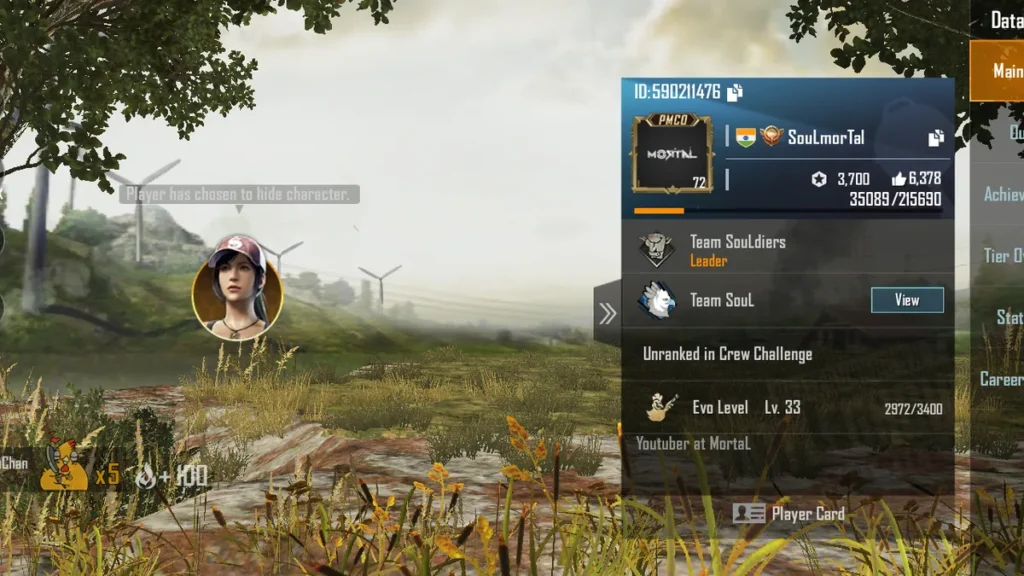
Head to the official Redemption Center, enter your Character ID (find it under your profile — it’s the number below your name), paste your code, solve the captcha. It should go through.
Total time: about two minutes. Progress lost: zero.
Binding Mistakes That Wipe Your BGMI Account Progress
Binding is safe if you avoid these:
- Binding to an already-used login. As above — the existing bound account usually takes precedence. Your guest progress can be overwritten. Always bind to a fresh login.
- Tapping “log out” as a guest before binding. Logging out of a guest account without binding first can orphan the progress. Bind first, log out never (or only after confirming the bind).
- Reinstalling to “fix” a bind issue. If something looks wrong after binding, don’t reinstall hoping it’ll sort itself out — contact support with your Character ID instead. Reinstalling a confused account state can make recovery harder.
- Letting someone “help” by logging into your game. Nobody needs your game login to help you bind. Anyone asking is either confused or scamming (see our scam-spotting guide).
After Binding: What Changes for BGMI Redeem Codes
A few things to know once you’re a bound player:
- Redemption unlocked. Obviously — that’s why you’re here.
- Cross-device play. Log into BGMI on a new phone with the same Google/Facebook/Apple login and your account follows you. Your guest-era fear of losing everything is over.
- One-code-per-day still applies. Binding unlocks redemption; it doesn’t multiply it. The daily limit and 10-use cap are unchanged.
- Your Character ID stays the same. Binding doesn’t change your ID, so any codes you noted down “for later” are still tied to the right account.
Conclusion
Guest accounts simply cannot use BGMI redeem codes — binding your account to a social login or email is the only fix. Take two minutes to bind your account properly and back it up, and you will never lose progress or miss out on a code again.
FAQ
Will binding delete my guest progress?
No — binding attaches an identity to your existing progress. Everything (rank, skins, stats) carries over. The only exception is binding to a login that already has a different BGMI account, which can cause conflicts. Use a fresh login.
Can I bind to two methods at once (Google + Facebook)?
BGMI allows linking multiple methods to the same account for backup. That’s actually smart — if you lose access to one login, the other still gets you in. Just make sure both logins are ones you control.
I bound my account but redemption still fails. Why?
First, fully restart the game after binding — the session sometimes needs a refresh. Then check the usual suspects: typos, daily limit, dead code (see our error decoder).
Can I unbind and go back to guest?
Technically there are unbind flows, but there’s no good reason to. Guest mode is strictly worse: no redemption, no backup, no cross-device. Going back is all downside.
My child plays as guest. Should I bind it for them?
Yes — bind it to your Google/Apple account (or a family account you control). It protects their progress and unlocks redemption, while keeping you in control of the login. More in our parents’ guide to BGMI codes.
Disclaimer: BuzzGamers is an independent, fan-run website and is not affiliated with or endorsed by Krafton, Inc. or Battlegrounds Mobile India. All game names, marks and images belong to their respective owners.